
Submoney icon Submoney
Compare

Compare subscription trackers

Submoney is built for one recurring-money question: how much should stay in your bank today? See how it compares with broader finance apps and focused subscription trackers.
Last reviewed

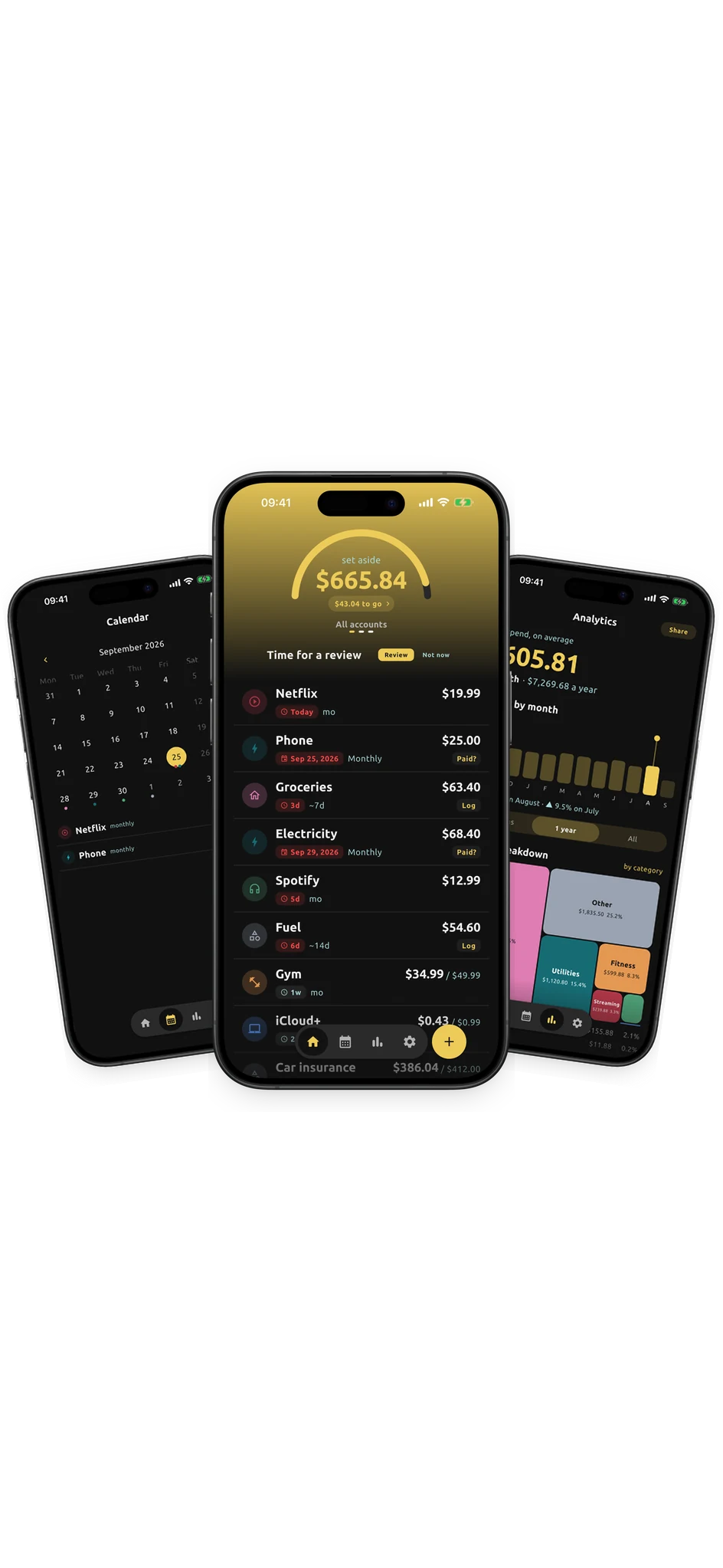
Submoney app screens showing home, calendar, and analytics

Quick fit guide

Start with the app shape, then open the full comparison.

App Best for Submoney fit
Rocket Money People who want bank-linked automation and help cancelling unwanted services. Submoney is narrower: it focuses on recurring money and the exact balance to keep available today.
Monarch Households that want a shared, full-picture finance workspace. Submoney is for the narrower daily question: how much recurring money should stay in the bank right now?
Copilot Money People who want a polished personal finance dashboard with subscription spotting included. Submoney keeps the workflow smaller and answers the recurring-payment balance question directly.
Bobby iPhone users who want a simple subscription list with due reminders. Submoney adds the bank-balance lens: not just what renews, but how much to keep available.
Tilla Android users who want a dedicated subscription manager with reminders. Submoney is a focused recurring-money tracker for people who want subscriptions tied to a required bank balance.
Chronicle Apple users who manage household bills and want reminders without connecting a bank. Submoney centers on subscriptions and recurring payments, and turns them into one number: the balance to keep in your bank today.
Subby People who want a cheap, private subscription list with reminders. Submoney goes past the list: it tells you how much money to keep in your bank for what is coming up.
ReSubs People who want automated import without connecting a bank. Submoney is built around one number: the balance to keep in your bank today for upcoming recurring payments.
Hiatus People who want help cancelling subscriptions and are happy to link a bank. Submoney skips bank access. You add recurring payments yourself and see how much to keep in your bank for them.
YNAB People who want a complete budgeting method, not just a subscription list. Submoney is much narrower: it tracks recurring money and shows the balance to keep, with no budget to maintain.
PocketGuard People who want automatic, bank-linked budgeting with bill awareness. Submoney answers the opposite question: not what you can spend, but how much must stay in your bank for recurring payments.
Emma UK users who want bank-linked budgeting plus subscription detection. Submoney works in any country without bank access, and focuses on the balance to keep for recurring payments.

Popular comparisons

The apps people most often weigh against Submoney.

Where Submoney fits

Submoney is for recurring money, not full budgeting. It tells you how much to keep in your bank for subscriptions and bills, without linking your bank.

More apps in the same space

Other subscription trackers and budgeting apps.

Submoney vs Tilla

Android subscription manager - Android

Both track subscriptions by hand. Use Submoney for the balance to keep, bills, and set-aside money on iPhone. Use Tilla if you are on Android and want a subscription manager.

Read comparison

Submoney vs Chronicle

Bill organizer - iPhone, iPad, and Mac

Both work without a bank link. Use Submoney for subscriptions, trials, and the exact balance to keep. Use Chronicle for long-running bill organizing across iPhone, iPad, and Mac.

Read comparison

Submoney vs Subby

Subscription tracker - Android and iPhone

Both are private, manual trackers with a one-time upgrade. Use Submoney for the daily required balance, bills, and set-aside money. Use Subby for a simple tracker with a large logo library.

Read comparison

Submoney vs ReSubs

Subscription manager - iPhone and Android

Both track subscriptions without a bank link. Use Submoney for the daily required balance and a one-time upgrade. Use ReSubs for Gmail and screenshot import and cancel guides.

Read comparison

Submoney vs Hiatus

Subscription and bill manager - iPhone, Android, and web

Use Submoney to track recurring payments by hand and see the balance they need. Use Hiatus for bank-linked subscription detection, cancellation help, and bill negotiation.

Read comparison

Submoney vs Emma

Budgeting and money app - iPhone, Android, and web

Use Submoney to track recurring payments by hand, anywhere, and see the balance they need. Use Emma for UK open-banking budgeting with subscription detection.

Read comparison

Try Submoney after comparing your options

Use Submoney when the question is not only when a payment renews, but how much money should stay ready for it.